css
Map
Single-teleport Checkpoint System
robotics
17 Jan 2026
Single-teleport Checkpoint System
3D Preview
Controls: WASD to move, Mouse to look. Depending on map size, loading may take time.
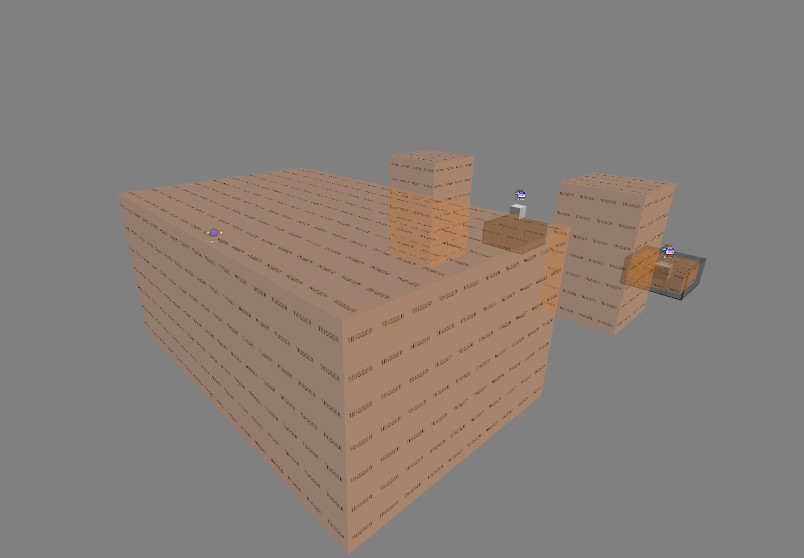
Description
An efficient system to allow a player's checkpoint to be saved, and teleported to with a single trigger. This is useful for maps in which the layout is less linear, with multiple checkpoints near eachother. This also solves the old 'fall-back' issue, in which players go the wrong way and fall back a checkpoint.The system comes with 2 types: One which keeps velocity during teleport, and one which stops the player upon teleport without use of clips.WARNING:This system comes with 2 main caveats:The first is that you cannot keep a player's angles through teleports with this system, due to how point_teleport functions. The other is that this system requires some extra work to function alongside other systems that use the player's 'targetname'. This means that systems such as https://gamebanana.com/prefabs/6785 or https://gamebanana.com/prefabs/6845 cannot be used immediately with this system, but there is probably a way to make these compatible with some tweaking.USAGE:Setup:This system requires an entity, 'player_tp', before any checkpoints are created. This entity serves as a way to 'declare' checkpoints. When it is called by any teleporting trigger_multiples, it tests the player against all declared checkpoints, and teleports the player to their specified checkpoint. The existing 'player_tp' in the map has two checkpoints declared, 'keepvelocity' and 'nullvel'.Keep Velocity:To create a keep velocity checkpoint, copy the entities 'fn_keepvelocity' and 'tp_keepvelocity' to your desired checkpoint location. Make sure that 'tp_keepvelocity' is above the ground by a few units, like a regular teleport. Rename these to something more organised for your map, such as 'fn_cp1' and 'tp_cp1', making sure that these names do not overlap with others. Assuming that these were the names you used, you would need to tweak these entities to work with the new names as such:Set the 'Filter Name' entry in fn_cp1 to "cp1" (no quotes)Set the 'Target Entity' of the 'OnPass' output in fn_cp1 to "tp_cp1" (no quotes)In the 'player_tp' entity, add an entry: OnTrigger | fn_cp1 | TestActivator | | 0.00 | NoCreate a trigger_multiple that encompasses your checkpoint with an
output: OnTrigger | !activator | AddOutput | targetname cp1 | 0.00 | NoTo rotate the teleporter, create an info_teleport_destination and
rotate it to your desired angles. Then copy the 'angles' parameter from
this entity, delete the entity, and paste them into the point_teleport. The
player will then be teleported with these angles.Null Velocity:To create a null velocity checkpoint, copy the entities 'fn_nullvel' and 'tp_nullvel' (which is in the brush under fn_nullvel), as well as the trigger containing tp_nullvel. Move these to the desired checkpoint location, making sure that 'fn_nullvel' is touching the ground, and both the trigger and 'cp_nullvel' are under the ground, with the trigger not poking out of the ground. Rename the point_teleport and filter_activator_name entities to something more organised for your map, such as 'fn_cp1' and 'tp_cp1', making sure that these names do not overlap with others. A name is not required for the trigger_teleport under the ground. Assuming these names were used, some more work needs to be done to make these function:Set the 'Filter Name' entry in fn_cp1 to "cp1" (no quotes)Set the 'Target Entity' of the 'OnPass' output in fn_cp1 to "tp_cp1" (no quotes)Set the 'Filter Name' entry in the trigger_teleport under the ground to "fn_cp1" (no quotes)Set the 'Remote Destination' entry in the trigger_teleport under the ground to "fn_cp1" (no quotes)Set the 'Local Destination Landmark' entry in the trigger_teleport under the ground to "tp_cp1" (no quotes)In the 'player_tp' entity, add an entry: OnTrigger | fn_cp1 | TestActivator | | 0.00 | NoCreate a trigger_multiple that encompasses your checkpoint with an output: OnTrigger | !activator | AddOutput | targetname cp1 | 0.00 | NoTo rotate the teleporter, create an info_teleport_destination and rotate it to your desired angles. Then copy the 'angles' parameter from this entity, delete the entity, and paste them into the point_teleport. The player will then be teleported with these angles.Teleporter:To teleport the player, copy the largest trigger and transform it to your needs or create a trigger_multiple with an output:OnTrigger | player_tp | Trigger | | 0.00 | NoThere is an example map outside of the cordon of the map that shows how this can be used / how the system functions.
Original source: https://gamebanana.com/mods/2178
Note: This map was automatically uploaded by a bot.
css
File Details
Filename
checkpoint_system_ents.bsp
MD5 Hash
7f3b825b8b...
Path
/css/map/...
Comments (0)
Login to comment.